
Guide · ready-to-copy prompts
Your car doesn't have YouTube? YouDash puts it on your CarPlay.
What YouDash is, the free, open-source project that puts the real YouTube app on the CarPlay screen, with a keyboard and no ads. Explained for beginners: what you need to install it and how to start. Full guide to read here; files download with your free account.
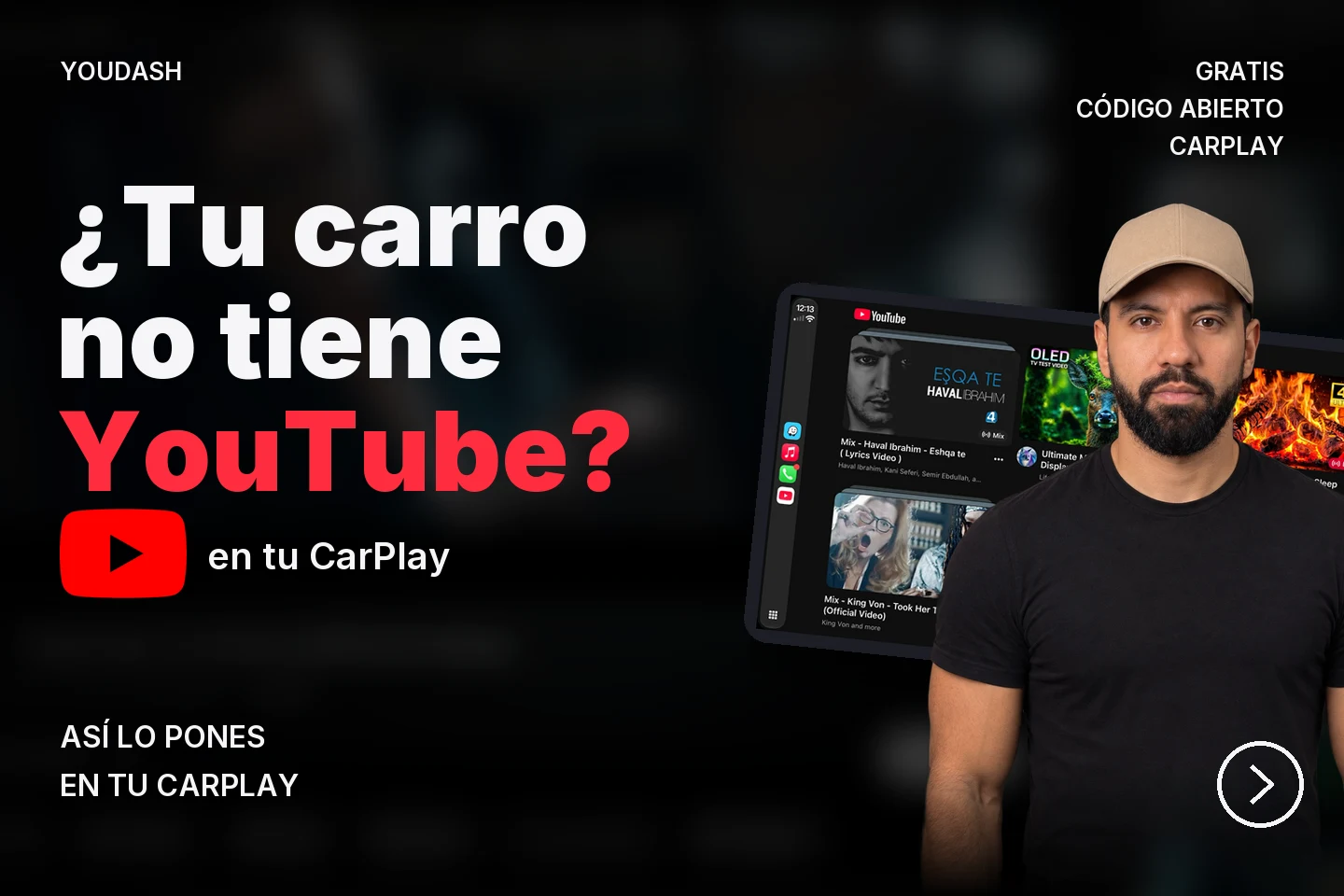
Does your car have CarPlay and you can't watch YouTube on that screen? YouDash is a free, open-source project (GPL-3.0 license) that puts the real YouTube app on the CarPlay screen: it adapts to the screen size, comes with a keyboard to search and blocks ads. It came out on November 14, 2026 and by November 21 it already had 365 stars on GitHub.
See YouDash on GitHubUse it only with the car parked. Follow your country's laws and your vehicle's restrictions.
1What it does, explained simply
| What you see | What it means |
|---|---|
| The real YouTube app | It isn't a stretched mirror of your phone: it's the same app, adapted to the car screen |
| Videos laid out | The home page shows the videos in columns that fit your screen |
| Video + list | The video on the left and your list or recommendations on the right |
| On-screen keyboard | You search for videos from the car screen, without touching your phone |
| No ads | It uses YouMod, which blocks ads (it may stop working if YouTube changes something) |
2Can I install it myself?
I'll be clear: today it isn't one click. It's an experimental project meant for people who already sign iPhone apps, or who have a developer to help. Here's what you need:
| You need | In simple words |
|---|---|
| A Mac with Xcode | Xcode is Apple's free program to build iPhone apps. It only works on Mac. You also need Python 3.9 or higher. |
| A compatible iPhone | The intended range is iOS 26.4 to 27.2 (experimental). It was tested on an iPhone with iOS 27.0.1. |
| The YouTube app with YouMod | A "decrypted" copy of YouTube 21.42.4 with YouMod 2.0.0 that you have the right to modify. The App Store one doesn't work, and the project doesn't include it. |
| The CarPlay video entitlement | Apple has to authorize your developer account to show video in CarPlay (com.apple.developer.carplay-video). Installing the app with a "sideload" tool doesn't give you that permission. |
| Your own signing | An app identifier, a certificate and an Apple profile in your name, with your iPhone registered. |
If you're not a developer: give the project a star to follow it and ask someone who already publishes iPhone apps for help. With the prompt below, Claude Code explains each requirement and tells you if something's missing before you start.
3Quick glossary
- IPA: the install file of an iPhone app (like an .exe on Windows).
- Decrypted: App Store apps come encrypted; to modify them you need an unencrypted copy.
- Signing an app: putting your Apple "seal" on it so the iPhone accepts it.
- Entitlement: an authorization Apple gives your account so the app can do something special, like show video in the car.
- Dylib: the module YouDash adds to the YouTube app so it works in CarPlay.
4The easiest way to start: let Claude Code guide you
If you have a Mac, open Claude Code and paste this to it. It checks what you have and what you're missing, and explains each step without skipping anything:
I want to install YouDash (https://github.com/sa4hnd/YouDash) to watch YouTube on CarPlay. I'm a beginner.
1. Check whether my Mac has Xcode, the iPhone SDK and Python 3.9 or higher, and tell me how to install whatever is missing.
2. Explain in simple words what the "decrypted" app with YouMod is and the CarPlay video entitlement the README asks for, and tell me whether I can get it with my Apple account.
3. If I have everything, guide me step by step with the docs/BUILD.md guide in the repo. One thing at a time and wait for my reply.5The steps (for those who already have everything)
First the CarPlay module is built:
git clone https://github.com/sa4hnd/YouDash.git
cd YouDash
python3 -m venv .venv
source .venv/bin/activate
python3 -m pip install -r requirements-build.txt
python3 scripts/build_carplay.py --compile-only
That creates build/YouTubeCarPlay.dylib. Then it's packaged with your own app and your signing, and installed on your registered iPhone:
python3 scripts/build_carplay.py \
  --ipa /path/to/your/YouMod.ipa \
  --profile /path/to/your.mobileprovision \
  --bundle-id com.yourname.youtubecar \
  --device YOUR_IPHONE_ID
Change the paths, the identifier and your iPhone's ID to your own. The full guide (with troubleshooting) is at docs/BUILD.md.
6How it works inside
- Connects the app to the car screen: the app starts normally on the iPhone and then moves its interface to the CarPlay window.
- Adapts the layout: scales the interface, arranges the video columns and puts the video and the list side by side.
- Adds the keyboard: an on-screen keyboard that types into YouTube's search box.
- Uses the YouTube player and YouMod: the video plays with YouTube's engine and YouMod removes the ads.
- Goes back to the phone when disconnected: when you take the iPhone out of the car, the app returns to the phone screen.
7Keep in mind
- It's experimental: it depends on your iPhone, your car, the app version and your signing.
- Ads are blocked with YouMod, but a YouTube update can change that.
- It's an independent project: it isn't an official Google or Apple app. YouTube and Apple CarPlay are trademarks of their owners.
- Credits: CarPlay integration by Sehind Hemzani, built on YouMod.
Would you use it in your car? Tell me at @andresgomez.ia.
Optional download
Want to keep it?.
You already read the full guide, no account needed. If you want the files on your computer, create your free account: it takes less than a minute.
- YouDash-guia.pdf5.2 MB
- prompt-youdash.md1 KB
Your free account also gives you
- Downloads on every resource. The files of every guide, today's and the ones still to come, without asking again.
- Free courses. Learn step by step with video lessons and track your progress.
- Spanish-speaking community. Ask, share what you build and get answers from others who use AI like you.
- Live events. We let you know before each one so you don't miss it.
- Member card, points and ranking. Earn points for joining in and learning, and climb the ranking.
Already have an account? Log in
Andrés Gómez
Practical AI to create content, photos and brand. @andresgomez.ia
Keep going with

