
Guide · ready-to-copy prompts
Sketch to 3D: let Claude sketch your 3D product for free.
What Sketch to 3D is, the free MIT-licensed Claude skill that turns any 3D model into a marker sketch that draws itself like a designer would and then wipes to the real render, as a video at any size or live on your website. How to install it, the prompts to use it and its limits. Full guide to read here; the PDF and the prompt download with your free account.
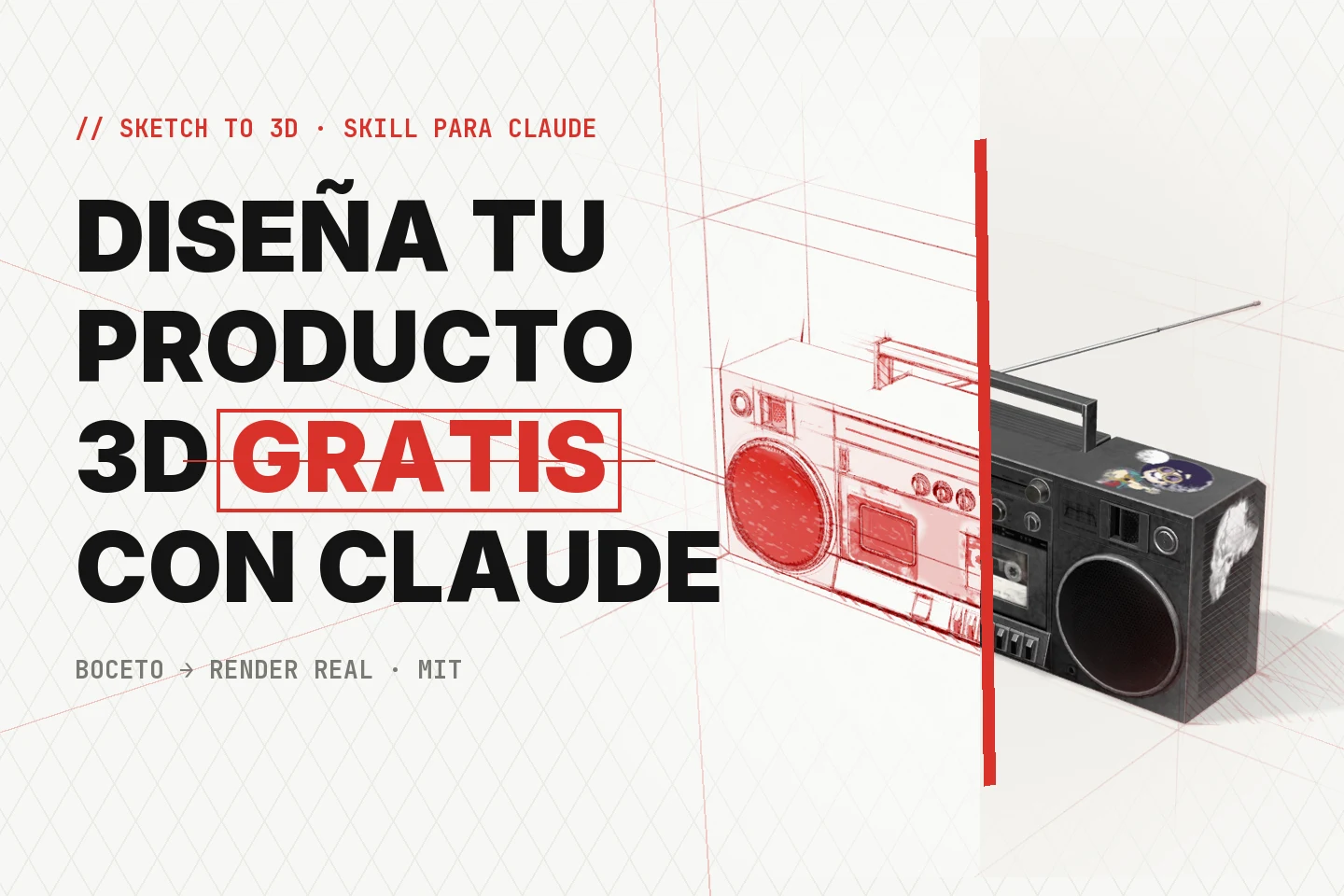
Have a product in 3D and want to show it in a way that grabs attention? Sketch to 3D is a free, open-source (MIT) skill for Claude that turns any 3D model into a marker sketch that draws itself, the way a designer would, and then turns it into the real render. You get a video at any size or a live version for your website. Here's what it does, how to install it and the prompts to use it.
Before you start: the skill doesn't design the product from scratch: you need a 3D model (a file such as GLB or OBJ) or an object built in three.js code. Made objects work best; raw 3D scans come out as scribble.
1What it is and why it matters
| Fact | Value (as of Nov 23, 2026) |
|---|---|
| GitHub stars | 83 |
| Forks | 4 |
| License | MIT (fine for client work too) |
| Published | November 5, 2026 |
| Drawing length | About 7 seconds |
2What you can give it
- A 3D model in GLB, GLTF, OBJ, FBX, STL, PLY, USDZ, 3MF or DAE.
- An object built in three.js code.
- An existing three.js scene.
3How it draws (in a designer's order)
- Circles on the round parts.
- A construction box.
- The outlines.
- Tracing: a faint pencil pass, then a darker one.
- Marker: fill with a hatched shadow.
- Colour, and finally a wipe to the real render.
4What you get
- Video at any size: vertical (1080×1920), square (1080×1080), widescreen (1920×1080) or 4K.
- One still per stage to check before the video is made.
- Web version that plays on load, when it scrolls into view, tied to scrolling or on hover, and can be dragged to spin at the end.
- Four papers: white, red, pencil or blueprint.
- Optional: a see-through video to lay over other footage.
5Step 1. Install it
You need Claude Code, Node 18 or newer, git and ffmpeg. Paste these into a terminal, one at a time:
git clone https://github.com/dannystuart/sketch-to-3d.git ~/.claude/skills/sketch-to-3dcd ~/.claude/skills/sketch-to-3dnpm installnpx playwright install chromiumThe last one downloads the browser the skill draws in (about 500 MB, once). Then start a new Claude Code session so it picks up the skill.
On Windows: when we tried it we had to make two small fixes (an ERR_UNSUPPORTED_ESM_URL_SCHEME error on start and stills coming out blank). If it happens to you, paste the error to Claude and ask it to fix it and use the Chrome you already have installed.
6Step 2. Ask in plain words
Claude picks the size, paper and framing, shows you a still of each stage and then makes the video:
Make a marker sketch video of chair.glb, square, for Instagram.Make a red-paper sketch of boombox.glb. Skip the colour, go straight from the sketch to the real thing. Frame it a bit tighter.I've got a kettle as an OBJ. Put it on my product page so it sketches itself in as people scroll, and they can drag to spin it at the end.Just the sketch of my chair, no render, on pencil paper.7Prompt so Claude guides you the first time
I want to use the sketch-to-3d skill (https://github.com/dannystuart/sketch-to-3d). I'm a beginner.
1. Check whether I have Node 18 or newer, git and ffmpeg, and tell me how to install whatever is missing.
2. Install it following its README and check it works with the lamp test.
3. Make a sketch video of [path to your 3D model], [vertical / square / widescreen], on [white / red / pencil / blueprint] paper.
4. Show me the stills of each stage before the video and explain in simple words what I can adjust.8Good to know
- A 7-second video takes about 30 seconds on a recent laptop.
- Stands, floors and backdrops are drawn as part of the object unless you ask to leave them out.
- Clear glass hides what's under it in the sketch; ask Claude to hide it.
- White or uncoloured models end up nearly invisible on light paper: ask for a darker background.
- It's not an official Anthropic tool.
Optional download
Want to keep it?.
You already read the full guide, no account needed. If you want the files on your computer, create your free account: it takes less than a minute.
- sketch-to-3d-guia.pdf1.8 MB
- prompt-sketch-to-3d.md2 KB
Your free account also gives you
- Downloads on every resource. The files of every guide, today's and the ones still to come, without asking again.
- Free courses. Learn step by step with video lessons and track your progress.
- Spanish-speaking community. Ask, share what you build and get answers from others who use AI like you.
- Live events. We let you know before each one so you don't miss it.
- Member card, points and ranking. Earn points for joining in and learning, and climb the ranking.
Already have an account? Log in
Andrés Gómez
Practical AI to create content, photos and brand. @andresgomez.ia
Keep going with

